
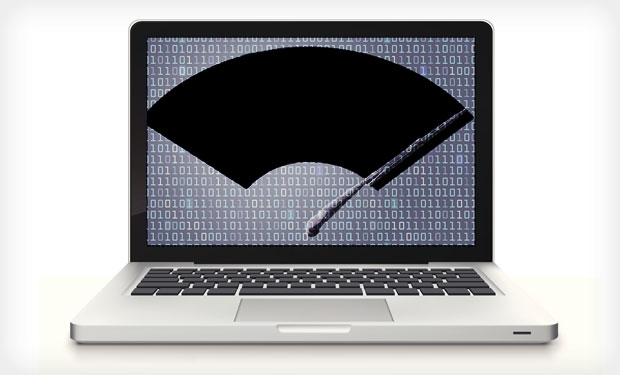
Wiper malware has evolved from a niche state-sponsored tool to a mainstream destructive capability used in cyberwarfare, APT operations, and hybrid attacks disguised as ransomware. Unlike financially motivated attacks, wipers aim for irreversible data destruction, disruption of operations, and long-term system unavailability.
This deep dive covers architecture, TTPs, execution flow, forensic artifacts, detection strategies, and defensive engineering patterns to harden environments against modern wipers.
1. Threat Landscape & Evolution of Wipers
Early wipers (e.g., Shamoon, DarkSeoul) were monolithic binaries with a single-stage destructive payload. Modern wipers are:
- Modular / multi-stage
- Living-off-the-land (LOTL) aware
- Hybridized with ransomware to delay detection
- Designed for fast lateral propagation (AD-aware)
- Anti-forensic, often using raw disk writes to avoid logging
- Tailored for specific OSes and filesystems (NTFS, exFAT, EXT4)
Recent families show significant sophistication:
- HermeticWiper used a digitally signed driver to perform low-level disk manipulation.
- CaddyWiper avoided domain controllers to ensure continued attacker access.
- WhisperGate corrupted the MBR while posing as ransomware pre-encryption.
The shift is clear: modern wipers blend stealth, speed, and intentional anti-recovery design.
2. Wiper Malware Architecture
Modern wipers typically include the following components:
2.1 Privilege Escalation Module
- CVE-based kernel exploits
- Token impersonation (SeDebugPrivilege abuse)
- Service misconfigurations
- Driver loading (signed or sideloaded)
2.2 Recon & Target Enumeration
Targets include:
- Critical system files
- Volume shadow copies
- Backup agents & snapshot directories
- Shared network drives
- Hypervisor VMs & cluster storage
Tools commonly abused:
vssadmin, wmic, bcdedit, diskpart, fsutil, wbadmin, wmic shadowcopy delete
2.3 Destructive Engine
Techniques vary by family:
MBR / Bootloader Corruption
- Overwrite first 512 bytes
- Replace with malicious loader
- Force reboot to trigger destruction
MFT / Filesystem Destruction
- Random byte overwrite
- Targeted critical metadata sectors
- Partial-wipe to corrupt filesystem without full erase
- Unrecoverable encryption (no stored key)
File Overwrite
- Iterative enumerations of directories
- High-speed buffer writes to file handles
- Chunk-wise wipe patterns to resist recovery tools
Direct Disk Access
Examples:
CreateFileA("\\\\.\\PhysicalDrive0") → raw writes → destruction
2.4 Anti-Forensics
- Timestamp stomping
- Log deletion (EventLog/USN)
- Disabling EDR sensors
- Driver-based activity to bypass user-mode hooks
2.5 Command & Control (Optional)
Many wipers run fully offline. Some hybrid variants include C2 communication for:
- Kill switch activation
- Exfiltration prior to wipe
- Distributed trigger event
3. Kill Chain: Multi-Stage Wiper Deployment Workflow
Below is the typical operational flow observed across modern APT and pseudo-ransomware/wiper campaigns:
1. Initial Access
- Phishing w/ malware loader
- Exploited VPN/public RCE
- Compromised credentials
- Supply-chain infiltration
2. Establish Foothold
- Loader deployment
- DLL sideloading
- Dropper → staged payload delivery
3. Privilege Escalation
- Driver loading
- Token elevation
- Kernel exploit
4. Recon & Lateral Movement
- AD query: users, DCs, GPOs
- WMI, PowerShell Remoting
- PsExec, RDP brute force
5. Pre-Destruction Actions
- Disabling AV/EDR
- Dismantling backups
- Shadow copy deletion
- Staging wiper binary
6. Trigger Phase
- Timed execution (cron/task scheduler)
- Remote C2 trigger
- Manual activation by attacker
7. Destruction
- Boot sector wipe
- Filesystem corruption
- File overwrite
- Induced OS crash/reboot
8. Persistence (Optional)
- Bootstrap loader loops
- UEFI implant (rare)
- Domain persistence via GPO backdoors
4. Forensic Artifacts & Indicators of Wiper Activity
4.1 Pre-Wipe Indicators
- Sudden surge in vssadmin and wmic shadow copy deletions
- Unexpected bcdedit modifications
- Anomalous driver loads from unusual paths
- LSASS access by unsigned binaries
- Suspicious service creations with temporary names
4.2 On-Disk Indicators
- Partial MFT corruption patterns
- Overwritten system files filled with repeated byte patterns (e.g., 0x00, 0xCC, random data)
- Missing bootloader components
- Raw disk write activity in offline analysis
4.3 Memory Artifacts
- Unlinked modules
- Threads performing raw sector writes
- Direct syscalls bypassing user-mode EDR hooks
4.4 Network Indicators
Most wipers are intentionally quiet, but hybrid strains may exhibit:
- Exfiltration to cloud storage or paste sites
- DNS tunneling prior to destructive activation
5. Blue-Team Detection Strategies
5.1 YARA Signatures
Useful for static detection in:
- EDR file scanning
- sandbox detonations
- offline forensic analysis
Can use patterns for known overwrite routines, raw disk IO, magic constants, or driver abuse.
5.2 Sigma Rules
Detect behavioral patterns such as:
- Shadow copy deletion
- Raw disk access via \\.\PhysicalDrive*
- MBR-related API calls
- Uncommon driver loads
I can generate full Sigma/YARA sets if needed.
5.3 Sysmon & EDR Behavioral Rules
Critical events:
Event ID 1 — Process creation
Detect suspicious use of:
vssadmin, wmic, diskpart, fsutil, bcdedit
Event ID 6/7 — Driver loading
Flag unsigned or unrecognized kernel drivers
Event ID 11 — File creation
Watch for mass file writes in short windows
Event ID 23 — FileDelete
Track mass deletions in critical directories
5.4 Detection Queries
Splunk Detection Queries (SPL)
1. Suspicious Mass File Deletion
index=endpoint (process_name="cmd.exe" OR process_name="powershell.exe")
| regex command_line="(?i)(del\s+/f|remove-item|rm\s+-rf)"
| stats count by host, user, process_name, command_line
| where count > 100
2. Raw Disk Access Activity
index=endpoint process_name="*"
| regex command_line="(?i)\\\\\.\\PhysicalDrive[0-9]+"
3. Shadow Copy Destruction
index=endpoint process_name="vssadmin.exe" command_line="*delete shadows*"
4. Detection for Known Wiper Tools
index=endpoint
| regex command_line="(?i)(drivewiper|filewiper|killdisk|shamoon|acidrain)"
Microsoft Sentinel (KQL)
1. File Deletion Spikes
DeviceFileEvents
| where ActionType == "FileDeleted"
| summarize deletions=count() by DeviceName, bin(Timestamp, 1m)
| where deletions > 500
2. Raw Disk Handle Usage
DeviceProcessEvents
| where ProcessCommandLine contains @"\\.\PhysicalDrive"
3. Shadow Copy Removal
DeviceProcessEvents
| where ProcessCommandLine contains "vssadmin"
| where ProcessCommandLine contains "delete shadows"
4. Recovery Prevention Commands
DeviceProcessEvents
| where ProcessCommandLine has_any ("wbadmin", "bcdedit", "disable", "shadowcopy")
Elastic (EQL/KQL)
1. File Wiping/Destructive Commands (EQL)
process where process.command_line regex ".*(cipher.exe\s+/w|format\s+|shred\s+|dd\s+if=|rm\s+-rf).*"
2. Volume Shadow Copy Deletion (KQL)
process.command_line : "*vssadmin*delete*shadows*"
3. Raw Disk Access Detection (EQL)
process where process.command_line regex ".*\\\\\\.\\PhysicalDrive[0-9]+.*"
4. High-Volume Deletes (Filebeat)
file.action:"deleted"
| stats count() by host.name
| where count > 1000
QRadar (AQL)
1. Disk Wipe Command Detection
SELECT * FROM events
WHERE UTF8(payload) ILIKE '%rm -rf%'
OR UTF8(payload) ILIKE '%cipher /w%'
OR UTF8(payload) ILIKE '%format %'
2. Raw Disk Access Indicators
SELECT * FROM events
WHERE UTF8(payload) ILIKE '%\\\\.\\PhysicalDrive%'
3. Shadow Copy Removal
SELECT * FROM events
WHERE UTF8(payload) ILIKE '%vssadmin%' AND UTF8(payload) ILIKE '%delete shadows%'
4. Mass File Deletion
SELECT sourceIP, COUNT(*) as deletions FROM events WHERE eventName ILIKE '%File Deleted%' GROUP BY sourceIP HAVING deletions > 500
6. Defensive Engineering & Architecture
6.1 Immutable & Offline Backups
- Object-level immutability (S3, GCS, MinIO)
- Air-gapped backup networks
- WORM (Write-Once-Read-Many) storage
6.2 Zero Trust + Strong Identity Controls
- No domain admin reuse
- Break-glass accounts isolated
- Mandatory PAM for privileged operations
6.3 Host Hardening
- Block unsigned driver loading
- Disable legacy protocols (SMBv1, NTLM where feasible)
- Strict EDR tamper protection
- AppLocker/WDAC allowlists
6.4 Network Segmentation
Wipers spread fast. Segment by:
- Environment (prod/dev/OT)
- Business function
- Blast-radius minimization
6.5 Detection-in-Depth
- Bootloader integrity monitoring
- Filesystem consistency checks
- Honeyfiles with high-sensitivity monitoring in critical directories
7. Incident Response Considerations
When dealing with active or suspected wiper infections:
Priority 1: Containment
- Immediately isolate suspected hosts
- Disable compromised accounts
- Block lateral movement & remote execution paths
Priority 2: Evidence Preservation
Before the wipe triggers (rare but possible):
- Memory dumps
- MFT copies
- Registry hives
- Driver & module inventories
Priority 3: Environment Recovery
- Rebuild, don’t restore, compromised systems
- Validate integrity of domain controllers
- Check for lingering persistence (GPOs, scheduled tasks, startup scripts)
Priority 4: Reverse Engineering (Optional)
- Identify wiping algorithm (overwrite pattern, sector targeting)
- Look for logic bombs or time triggers
- Map anti-analysis techniques
8. Future of Wipers: What’s Coming Next?
Emerging trends:
- UEFI/firmware-based wipers
- Cross-platform wipers targeting cloud, Linux, and containers
- AI-assisted rapid intrusion before wipe activation
- Wipers packaged inside ransomware operations to increase impact
- Attacks on industrial systems (ICS/OT) to disrupt physical infrastructure
The line between espionage, sabotage, and financial extortion continues to blur.
Conclusion
Wiper malware isn’t just a destructive nuisance — it’s a strategic, often state-backed weapon designed to cripple infrastructure and erase digital history. Understanding its architecture, kill chain, and TTPs is essential for building resilient systems.
Modern defenders need:
- behavior-based detection
- zero-trust identity
- strong segmentation
- immutable backups
- rapid IR procedures
- continuous threat intelligence
If your environment can’t detect or contain a wiper in under 5 minutes, you’re vulnerable.
Additional Resources: Sigma and Yara Rules
Sigma Rule 1 — Mass File Deletion Spike
title: Suspicious Mass File Deletion Spike
id: 8c39a434-2be7-4f80-a43e-d6c2737e7724
description: Detects abnormal high-volume file deletion activity which may indicate wiper malware.
status: experimental
author: ChatGPT
date: 2025/01/01
logsource:
category: file_delete
product: windows
detection:
deletion_events:
EventID: 23
timeframe: 1m
condition: deletion_events | count() by host > 500
fields:
- FileName
- FilePath
- ProcessName
tags:
- attack.impact
- attack.t1485 # Data Destruction
- attack.t1490 # Inhibit System Recovery
Sigma Rule 2 — Shadow Copy Deletion (vssadmin)
title: Shadow Copy Deletion via vssadmin
id: 1a4b9892-88b8-42c4-91ba-7eea6628ddc3
description: Detects attempts to delete shadow copies, frequently used by wiper malware to prevent recovery.
status: stable
author: ChatGPT
date: 2025/01/01
logsource:
category: process_creation
product: windows
detection:
vss_delete:
Image|endswith: '\vssadmin.exe'
CommandLine|contains:
- 'delete'
- 'shadows'
condition: vss_delete
fields:
- CommandLine
- ParentImage
- ProcessId
tags:
- attack.t1490
- attack.defense-evasion
Sigma Rule 3 — Raw Disk Access (PhysicalDrive)
title: Raw Disk Access by Userland Process
id: 0b2f73f2-07a5-4fc8-afc6-fa0fc0ccadbe
description: Detects processes accessing raw physical drives, indicative of disk wipers.
status: stable
author: ChatGPT
date: 2025/01/01
logsource:
category: process_creation
product: windows
detection:
raw_disk_access:
CommandLine|contains: '\\\\.\\PhysicalDrive'
condition: raw_disk_access
fields:
- CommandLine
- Image
tags:
- attack.t1561.002 # Disk Wipe
- attack.impact
Sigma Rule 4 — Destructive Commands (cipher /w, format, shred, dd)
title: Potential Destructive File Wipe Commands
id: 6a8ea0b6-82b9-4bdf-9c2f-a3f3268a0e8b
description: Detects commands used for secure wiping or destructive disk activity.
status: experimental
author: ChatGPT
logsource:
category: process_creation
product: windows
detection:
wipe_commands:
CommandLine|contains:
- 'cipher /w'
- 'format '
- 'shred '
- 'dd if='
- 'rm -rf'
condition: wipe_commands
fields:
- CommandLine
- Image
- ParentImage
tags:
- attack.impact
- attack.t1485
Sigma Rule 5 — Wiper Malware Known Filenames / Artifacts
title: Suspicious Known Wiper Malware Artifacts
id: 415fc612-637c-4c9d-861f-7ffe6eb427d2
description: Detects known wiper malware filenames or associated indicators.
status: experimental
author: ChatGPT
date: 2025/01/01
logsource:
category: process_creation
product: windows
detection:
suspicious_filenames:
Image|endswith:
- '\killdisk.exe'
- '\shamoon.exe'
- '\acidwipe.exe'
- '\notpetya.dll'
- '\drivewipe.exe'
condition: suspicious_filenames
fields:
- Image
- CommandLine
tags:
- attack.t1485
- attack.impact
Sigma Rule 6 — Disabling System Recovery / Backups
title: Disabling Backup and Recovery Functions id: 9b2bb642-14a5-4d43-a12b-c86d1b93dbdf description: Detects commands that disable backups or system recovery typically used by wipers. status: stable author: ChatGPT date: 2025/01/01 logsource: category: process_creation product: windows detection: recovery_disable: CommandLine|contains: - 'wbadmin' - 'bcdedit' - 'recoveryenabled no' - 'winre' condition: recovery_disable fields: - CommandLine - Image - ParentImage tags: - attack.t1490 - attack.defense-evasion
YARA Rule 1 — Suspicious Raw Disk Access (PhysicalDrive)
rule Wiper_RawDisk_Access
{
meta:
description = "Detects binaries referencing raw disk access paths often abused by wipers"
author = "ChatGPT"
date = "2025-01-01"
purpose = "defensive detection only"
strings:
$phys1 = "\\\\.\\PhysicalDrive0"
$phys2 = "\\\\.\\PhysicalDrive" ascii wide nocase
condition:
any of ($phys*)
}
What it detects:
Binaries or scripts referencing Windows raw disk objects—common in disk-wiping
tools.
YARA Rule 2 — Shadow Copy Deletion Artifacts
rule Wiper_ShadowCopy_Destruction
{
meta:
description = "Detects references to vssadmin shadow copy deletion commands"
author = "ChatGPT"
date = "2025-01-01"
strings:
$cmd1 = "vssadmin delete shadows" ascii wide nocase
$cmd2 = "wmic shadowcopy delete" ascii wide nocase
condition:
any of ($cmd*)
}
Detects:
Attempts to disable recovery by deleting Windows shadow copies—a common wiper
precursor.
YARA Rule 3 — Destructive File Wipe Commands
rule Wiper_Destructive_Command_Strings
{
meta:
description = "Detects destructive system commands used for wiping"
author = "ChatGPT"
date = "2025-01-01"
strings:
$wipe1 = "cipher /w:" ascii wide nocase
$wipe2 = "format " ascii wide nocase
$wipe3 = "shred -f" ascii wide nocase
$wipe4 = "dd if=" ascii wide nocase
condition:
any of ($wipe*)
}
Detects:
Common wipe-related commands embedded inside droppers or scripts.
YARA Rule 4 — High-Risk Win32 API Usage for Wiping
rule Wiper_HighRisk_APIs
{
meta:
description = "Detects sensitive Win32 APIs commonly used by wipers to overwrite disks or MBR"
author = "ChatGPT"
date = "2025-01-01"
strings:
$api1 = "DeviceIoControl" ascii wide
$api2 = "CreateFileA" ascii wide
$api3 = "CreateFileW" ascii wide
$api4 = "WriteFile" ascii wide
// MBR/Partition handle targets
$drive = "\\\\.\\C:" ascii wide
condition:
2 of ($api*) or (all of ($api1, $api4) and $drive)
}
Detects:
Unexpected combinations of APIs used for direct-disk manipulation.
YARA Rule 5 — Known Wiper Behavior Indicators (Generic Heuristic)
rule Wiper_Generic_Heuristic_Detection
{
meta:
description = "Generic heuristic indicators of wiper-like behavior"
author = "ChatGPT"
version = "1.0"
strings:
$s1 = "wipe" ascii wide nocase
$s2 = "destroy" ascii wide nocase
$s3 = "overwrit" ascii wide nocase
$s4 = "killdisk" ascii wide nocase
$s5 = "zerofill" ascii wide nocase
condition:
3 of ($s*)
}
Detects:
Common textual indicators inside destructive malware samples.
YARA Rule 6 — Indicators of Backup/Recovery Tampering
rule Wiper_Backup_Recovery_Disable
{
meta:
description = "Detects attempts to disable backup or system recovery from inside a binary"
author = "ChatGPT"
strings:
$rec1 = "wbadmin" ascii wide nocase
$rec2 = "bcdedit" ascii wide nocase
$rec3 = "recoveryenabled" ascii wide nocase
$rec4 = "disable" ascii wide nocase
condition:
($rec1 or $rec2) and any of ($rec3, $rec4)
}
Detects:
Embedded commands that cripple recovery or boot configuration settings.
Phelix Oluoch
Founder, PhelixCyber
W: PhelixCyber.com
